


Kids Monster Truck Games 2+
4.744.00 Reviews
App Specs
- Version
- 6.6.1
- Updated On
- License
- Free
- Downloads
- 10,000,000+
- Developer
- Toy Tap LLP
- Categories
- Educational
- Platform
- Android
Screenshots
 Analysis by AppCompare
I wouldn’t treat a toddler’s truck game as a substitute for hands-on play, but a simple driving adventure can be a handy way to give a child a small, focused activity. Kids Monster Truck Games 2+ is an educational game from Toy Tap LLP, built around the appeal of monster trucks and the kind of playful exploration that can hold a young child’s attention. I see its strongest idea as the approachable truck experience: children can interact with the vehicles through straightforward taps and swipes, rather than needing to learn a complicated control scheme first.
Why simple truck controls matter
For a very young player, getting started without an adult explaining a long sequence of buttons is a real advantage. A child can try an action, see what happens, and try again. That makes the game easier to share during a short break than a racing title designed for older children, where steering, timing, menus, and objectives may all compete for attention. The useful distinction is not that a simple game teaches everything by itself; it is that fewer control demands leave more room for a child to explore at their own pace.
I’d still sit nearby the first time, especially with a child who is new to touchscreen games. You can show them how a tap or swipe affects the truck, then let them take over and experiment. If they get frustrated, a brief demonstration is more helpful than repeatedly taking the device away and restarting. This is also a good chance to talk together about what the truck is doing, turning screen time into a shared activity instead of background entertainment.
How it fits into a child’s day
The game makes the most sense in short sessions: while waiting for food, during a quiet moment at home, or when a child needs a calm distraction while an adult finishes a small task nearby. I wouldn’t count on it to occupy a child for a whole journey or to replace outdoor play. A useful routine is to let the child choose a truck activity, play for a little while, and then switch to drawing, blocks, or a real toy vehicle. That keeps the app as one option in a broader play mix.
Parents deciding between this and a general racing game should think about the child’s age and patience. The truck theme and direct controls are a more natural starting point for a young child than a game built around competitive racing or precise driving. On the other hand, an older child looking for challenging tracks, complex goals, or a sense of progression may find this style too light. For that player, a more advanced racing game—or a non-screen construction toy—could be a better fit.
What parents should check before handing it over
I would not assume that a child-friendly theme automatically answers every practical question about using a game. The current release is version 6.6.1, and the game is rated Everyone, but those details don’t replace checking the app’s screens together before a young child plays alone. In particular, look at the menus and any prompts that appear, and decide whether the device itself should be set up with suitable parental controls. That is a sensible habit for any game used by a toddler, regardless of its theme.
The game is free to download and includes in-app purchases priced at $2.99 per item, so I’d review purchase settings before handing a device to a child. This is a practical distinction from a genuinely purchase-free app: a free starting download does not mean every possible item is included at no cost. If accidental taps are a concern, use the device’s purchase restrictions and keep payment approval with an adult. The game requires Android 7.0 or later, which is worth checking on an older device before planning to use it on a trip.
Worth Reading Before You Choose

Baby Panda World Brings Quick Play to Modern Phones, but Its Game Library Feels Busy

ESPN’s Live Game View Makes Following Close Games Easier

QuizzLand Review: A Good Fit for Short Trivia Breaks, Not Every Player

Basketball Stars: Multiplayer Is Fast, but Can It Recover When Matches Go Wrong?

WEBTOON Turns Phone Updates Into a Better Reading Routine

Link to Windows Runs on Shared Habits, Not Social Feeds
There is also a useful trade-off between a focused truck game and a broad children’s learning app. A larger educational collection may offer more kinds of activities, which can work better when a child quickly tires of driving. A single-theme game, by contrast, gives a truck-loving child a clear place to start without asking them to choose among unrelated lessons. I’d pick based on the child’s actual interest, not on the assumption that a game with an educational label will suit every young learner.
Revving Up the Fun
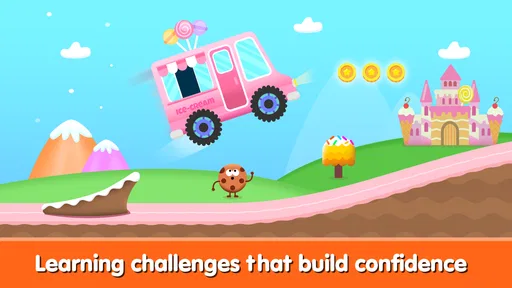
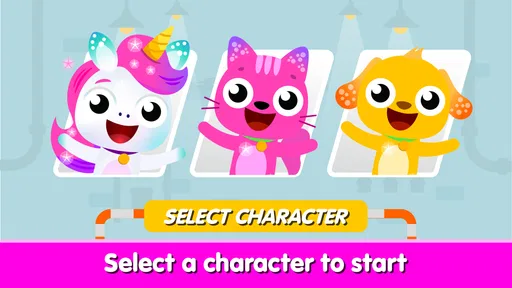
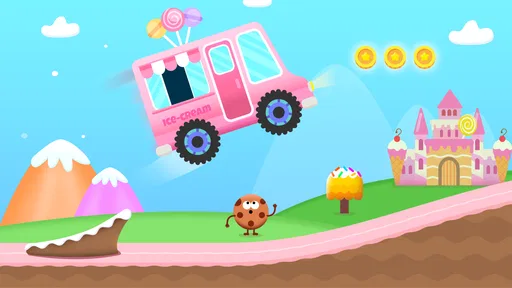
The first thing you’ll notice about Kids Monster Truck Games 2+ is its eye-catching graphics. The colors are bright and engaging, perfect for capturing the attention of young players. The monster trucks themselves are adorable, with friendly faces and cheerful designs that invite kids to jump right into the action.
This game is incredibly easy to navigate, with intuitive controls that even the youngest players can master. The developers have done a great job of ensuring that the user interface is child-friendly. With a simple tap or swipe, kids can make the monster trucks perform fun stunts, collect stars, and race through exciting tracks. It’s a game that’s as much about exploration as it is about skill, making it perfect for budding racers.
Learning Through Play
What I love about this app is how it seamlessly combines entertainment with education. While kids are busy having fun, they’re also learning important skills. The game encourages problem-solving and hand-eye coordination, as kids need to figure out how to navigate obstacles and complete levels.
The game also introduces basic concepts of physics in a playful manner. For example, kids learn about speed, momentum, and gravity as they race their monster trucks over hills and ramps. It’s a fantastic way to spark curiosity and encourage learning through play.
Customizable Adventures
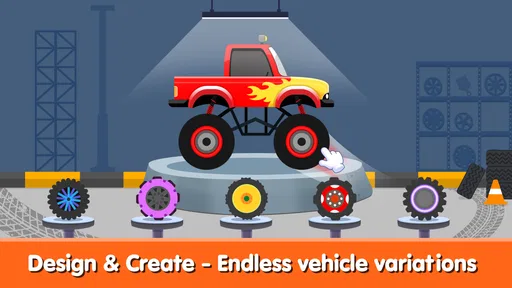
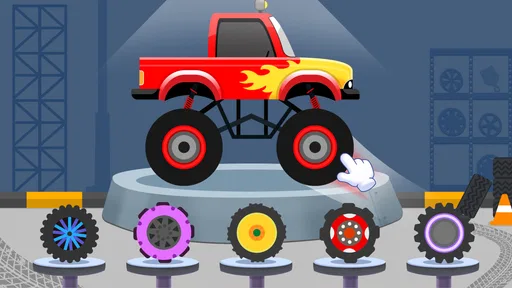
Kids love making things their own, and Kids Monster Truck Games 2+ delivers on that front. The app offers customization options that let kids personalize their monster trucks. They can choose from a variety of colors, patterns, and stickers to create a truck that’s uniquely theirs. This feature adds an extra layer of engagement, as kids take pride in their creations and want to show them off.
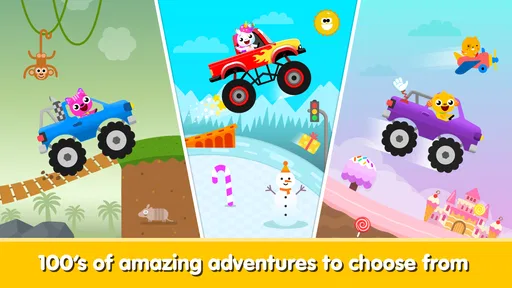
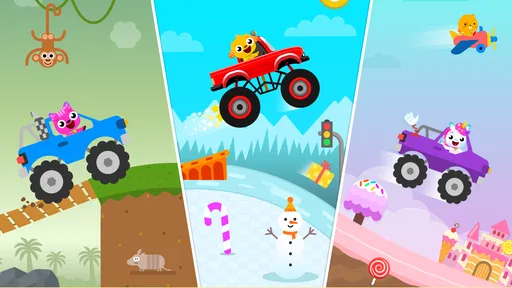
Additionally, the game includes multiple levels and environments, keeping the experience fresh and exciting. From sandy deserts to snowy mountains, each track presents a new challenge and a new adventure. This variety ensures that kids won’t get bored and will keep coming back for more.
Safe and Sound
As a parent, one of my main concerns with any app is safety. Fortunately, Kids Monster Truck Games 2+ respects that. The app is free of ads and in-app purchases, which means kids can play without the risk of accidental purchases or exposure to inappropriate content. The developers have clearly prioritized creating a safe and secure environment for children.
Moreover, the app doesn’t require an internet connection, allowing kids to play anywhere, anytime. Whether you’re on a long car ride or waiting for an appointment, this game is a great way to keep kids entertained and engaged.
Final Thoughts
In conclusion, Kids Monster Truck Games 2+ is a wonderful app that offers a perfect blend of fun and learning. Its engaging graphics, ease of use, educational value, and safety features make it a top choice for parents looking for quality entertainment for their children.
So, if you’re in search of an app that will delight and educate your little ones, look no further. Download Kids Monster Truck Games 2+ today and let the monster truck adventures begin!
A realistic way to use it
Picture a child waiting with you at an appointment: they’re restless, you need to keep the moment manageable, and a book or small toy is not holding their attention. This is where a truck game can be useful. I’d open it together, let the child choose what to focus on, and stay close enough to help if they reach a menu or lose track of what to do. When the wait is over, I’d close the game rather than letting the next activity begin automatically. That small boundary helps make it a purposeful distraction, not the default answer to every quiet moment.
At home, it can also serve as a prompt for play away from the screen. After a short session, ask the child to draw the truck they liked, build a ramp from blocks, or roll a toy vehicle over a cushion and compare what happens. Those activities do not need to imitate the game exactly. They simply give a child a chance to carry an interest in trucks into movement, conversation, or making something with their hands.
Choosing it over other children’s games
Compared with a broad preschool app, a monster-truck game has a narrower appeal but a clearer theme. That can be a benefit when a child is already fascinated by big wheels, ramps, and vehicles: there is less unrelated material to distract them from the activity they came for. A general learning app is likely the better choice if you want to move between different subjects or play styles in one sitting. Likewise, a simple puzzle game may suit a child who enjoys matching and sorting more than driving and exploring.
It also sits at a different level from a conventional racing game. Racing titles often ask players to compete, steer precisely, or follow more demanding objectives. This game’s straightforward touch interaction is a more approachable fit for a younger child, though it may not satisfy someone seeking serious competition or a difficult driving challenge. I’d think of it as an introductory, theme-led play option rather than a miniature version of a full racing simulator.
Practical checks before a session
One easy way to make play smoother is to open the game yourself before giving the device to a child. Find the point where play begins, check how the child returns to the activity after leaving it, and note any on-screen choices that might need an adult. This quick preview can prevent a young player from getting stuck in a menu or tapping through something they do not understand. It is especially useful if the device is shared with other family members and has different apps or settings available.
The game is free, has an average rating of 4.7 from around 4.9 thousand ratings, and has passed 10 million installs. Those figures suggest that many people have tried it, but popularity alone cannot tell me whether its pace and theme suit a particular child. I’d use a short first session as the real test: does the child understand how to interact, remain interested without becoming upset, and respond well when it is time to stop? Their reaction is more useful than a high rating when deciding whether to keep it on the device.
The age rating is Everyone, but that should not be confused with a promise that every child will find the game appropriate in every household routine. A toddler may need help with the device, while an older child may want more variety or challenge. The game is most likely to work well when an adult sets the context and a child already enjoys vehicle play. If your child dislikes trucks, has little interest in touch-screen activities, or tends to become distressed when a game ends, I would choose another activity instead.
Who is likely to enjoy it most
I’d recommend giving it a try for a young child who is drawn to monster trucks and benefits from simple, direct interaction. It can be a useful short activity for a parent who wants to join in, explain what is happening, and then move on to a different kind of play. Toy Tap LLP is the developer, and the game’s educational framing makes it a reasonable option for families looking for playful screen time rather than a high-pressure race.
I would skip it if you are specifically searching for a deep learning curriculum, a long-form racing challenge, or an app that keeps a child occupied without adult supervision. A truck-themed game can encourage curiosity and coordination, but it cannot guarantee learning outcomes or replace a parent’s judgement about screen time. For the right child, though, its focused subject and accessible style make it an easy game to introduce in small doses.
Overall, I see this as a better match for brief, shared play than as an all-purpose children’s app. The free download lowers the barrier to trying it, while the $2.99-per-item in-app purchases mean I would set purchase controls first. If the child enjoys the trucks and can move through the experience comfortably, it may earn a place among a few carefully chosen games. If they quickly want more variety, stronger goals, or activities away from a screen, there are better options for that need.
Pros
- Engaging graphics for young kids.
- Easy controls suitable for toddlers.
- Promotes hand-eye coordination.
- Includes fun sound effects.
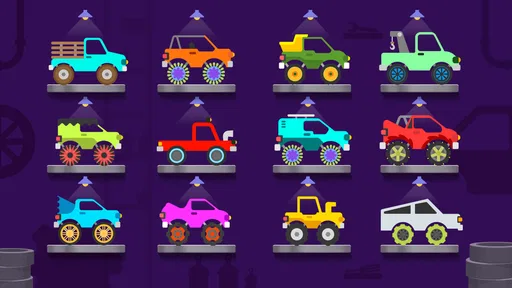
- Variety of monster trucks available.
Cons
- Limited in-game challenges.
- Repetitive gameplay elements.
- Ads can interrupt playtime.
- Requires internet for some features.
- In-app purchases may be needed.
FAQs for Kids Monster Truck Games 2+
What age group is Kids Monster Truck Games 2+ suitable for?
Kids Monster Truck Games 2+ is designed specifically for children aged 2 and above. It offers a safe and engaging environment where young kids can enjoy colorful graphics, simple controls, and fun gameplay. The game focuses on stimulating creativity and hand-eye coordination, making it ideal for toddlers and preschoolers.
Are there any in-app purchases or ads in Kids Monster Truck Games 2+?
Kids Monster Truck Games 2+ is designed to be child-friendly, often offering a version without ads or in-app purchases to ensure a safe environment. However, it's always advisable to check the app settings or description in the app store to confirm the specific version you're downloading to ensure it meets your preferences.
What kind of gameplay can kids expect in Kids Monster Truck Games 2+?
Kids can expect a variety of fun and interactive levels in Kids Monster Truck Games 2+. The game typically includes simple racing tracks, obstacle courses, and customization options for trucks. The focus is on providing an entertaining yet educational experience, encouraging problem-solving and fine motor skill development.
Is Kids Monster Truck Games 2+ available for both Android and iOS?
Yes, Kids Monster Truck Games 2+ is generally available for download on both Android and iOS platforms. It can be found on the Google Play Store for Android devices and the Apple App Store for iOS devices. Always check compatibility with your device before downloading.
Does Kids Monster Truck Games 2+ require an internet connection to play?
Kids Monster Truck Games 2+ typically does not require an internet connection to play, making it a convenient option for on-the-go entertainment. However, if the app includes online features or updates, an internet connection may be needed for those specific functionalities. Verify the app details to know for sure.


